


-- Everyone who has ever faced a blank canvas in Blender or Maya can tell you how deafeningly quiet it can be at that starting line. Creating three-dimensional objects in high-fidelity has always been a laborious task. Many days were spent in extrusion of vertices, creation of complicated UV maps, baking of normal maps and painting of micro textures for many days until objects were ready to be put into game engine or printed. This was often a huge roadblock for independent development studios, single artists, and rapid prototyping teams.
Asset generation has become intelligent now, breaking all the barriers of the traditional pipeline. It allows the system to analyze the geometry, depth map, and lighting of objects based on a prompt or simply a flat reference image of an object. Now this process has become more creative rather than a laborious job of engineering.
The New Architecture of Digital Modeling
When working with the creation engines of the future, the objective of modern creators is not about replacing human creative decision-making but rather speeding up the process of transitioning from a rough concept design to an interactive asset.
The conventional pipeline involved the use of different software to handle blockout sculpting, retopology, texturing, and rigging. Now, modern technology platforms combine these individual processes into a cohesive workspace. Meshy is one of the leading AI-based 3D model generators which give artists total control of the meshing process without compelling them to individually manipulate thousands of polygons to create a good starting point.
It is the versatility of these modern generation creative software that sets them apart from conventional ones. The needs of game developers call for low poly meshing with clean edge loops, whereas the needs of physical product designers require watertight geometries that can be used in additive manufacturing.
Core Operational Modes: From Prompts to Polygons
Understanding how to leverage these platforms starts with their fundamental generation modes. Modern workflows typically divide creation into two primary input paths:
- Text-to-3D Generation: Users type descriptive natural language prompts—specifying art styles like "hand-painted low-poly chest" or "photorealistic weathered stone pillar." The system generates a base mesh complete with mapped textures in seconds.
- Image-to-3D Conversion: Projects which already have their concept art or photos as a base can upload these as 2D inputs, so the platform will infer the volume and depth automatically. Using multi-image inputs provides much more accurate structure as it correlates multiple angles to generate an exact silhouette.
Apart from generating meshes, platforms offer a number of special features to make assets ready for real-time engines. Realistic auto-texturing is done using only a basic description, while auto-rigging makes a model ready for animations in no time.
A Step-by-Step Practical Workflow Guide
These technologies make the production process simpler with the help of the following four step process which is common among independent game developers and digital agencies today:
- Initial Concept Capture: Begin in the web browser by entering a detailed prompt or uploading multi-angle reference photos. The system generates initial draft options within a minute.
- Mesh Refinement and Texturing: Select the strongest geometry draft. Apply targeted prompts to generate custom diffuse, rough, and normal maps directly onto the model using built-in material tools.
- Rigging and Prep: If making character models or interactive models, use the built-in auto-rigging functionality to add the skeleton hierarchy.
- Export and Engine Import: Export the finished model using industry standards like OBJ, FBX, GLB, or STL depending on the target engine which could be Unreal Engine, Unity, Blender, or even 3D printer slicers.
Bridging the Gap Between Digital Art and Physical Manufacturing
The applications of contemporary spatial software programs reach well beyond video games and virtual creation. The actual fabrication of items, the process of industrial design, and the creation of custom-made objects make extensive use of these applications to significantly reduce development times.
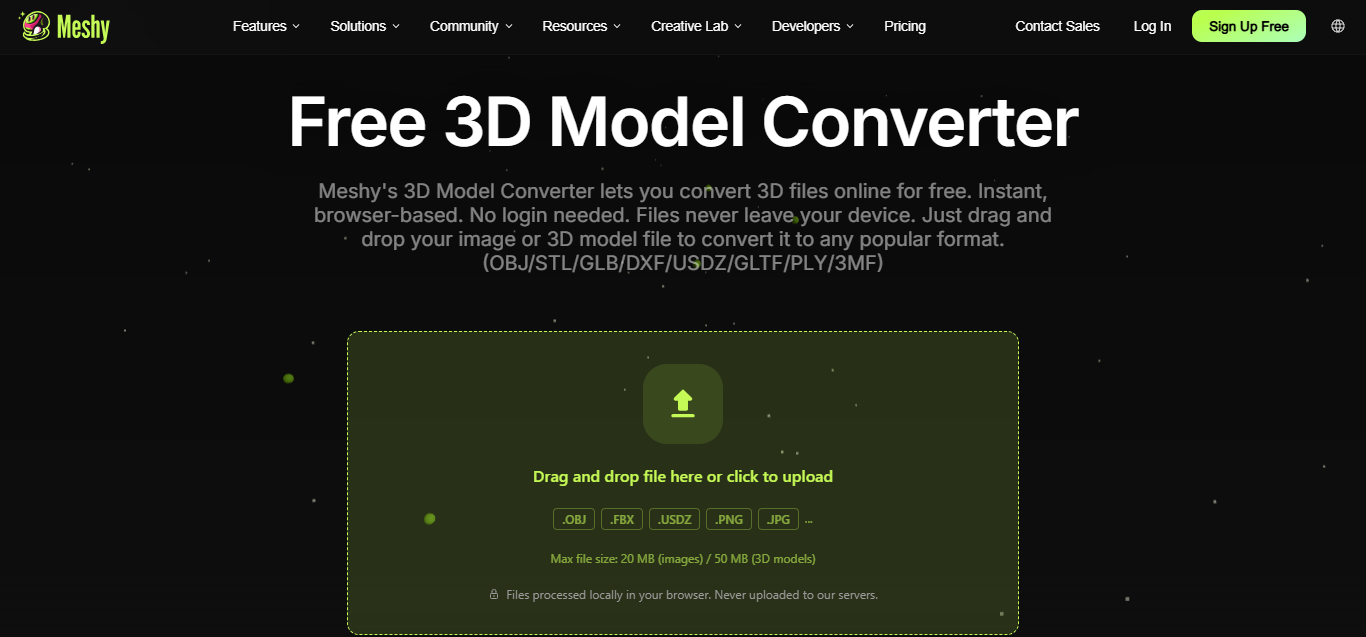
For example, tabletop gaming fans as well as custom toys developers often utilize the browser-based application to refine their geometries and mend their meshes before printing. It is extremely helpful to have access to a free browser-based suite which includes a viewer, a format converter, and an STL fixer to make sure your model does not have any manifold edges or wall thickness problems.

Because these tools operate completely within the browser without requiring high-end local GPU setups, production capabilities are democratized. Anyone with a web connection can turn a quick concept into a tangible asset.
Integrating Generation Engines into Custom Applications
For software engineers and software engineering companies, the real strength of generative platforms resides in automation. This means that the developer does not depend only on manual web interface to create new elements but can actually integrate generation workflow in his own software, game, or any other online store through programming interface.
By utilizing an AI 3D generation platform, development teams can build custom pipelines that generate personalized 3D avatars, dynamic in-game loot, or custom product previews on the fly. Offering robust API access alongside a generous free tier ensures that independent developers can test and prototype their applications without upfront infrastructure investments.
Frequently Asked Questions
Which export formats does the game engine and 3D printer support?
All current-generation applications support all types of export formats, including popular GLB and FBX formats for real-time engines, OBJ format for traditional modelling programs, and STL format for additive manufacturing and 3D printing.
Is it possible to generate 3D models with the help of reference pictures instead of text prompt?
Of course, while the prompt is useful when you need to rapidly brainstorm, uploading a 2D picture will give you more control over the result. By providing multiple images you can allow the program to analyze the object from multiple angles, resulting in a significantly more precise geometric shape.
Is it necessary to have a powerful GPU for that tool?
No, since all these services operate purely within your web browser. All computations, such as spatial processing, deep learning inferences, and rendering happen on cloud servers, making all of these tools available even on a regular laptop.
How does auto-rigging work for humanoid/characters?
Auto-rigging analyzes the mesh structure, finds critical anatomical joints (elbows, knees, shoulders, etc.) and inserts a standardized digital skeleton inside the model which allows you to animate it right after exporting.
Release ID: 89202367

 Google
 RSS
RSS